Free trial
Freeto start
20 shipments checked free, with no payment details
- Every check on this page
- PDFs, scans and phone photos
- Excel workbook and correction emails
- All the people of your company
For freight forwarders, CHAs and exporters in India
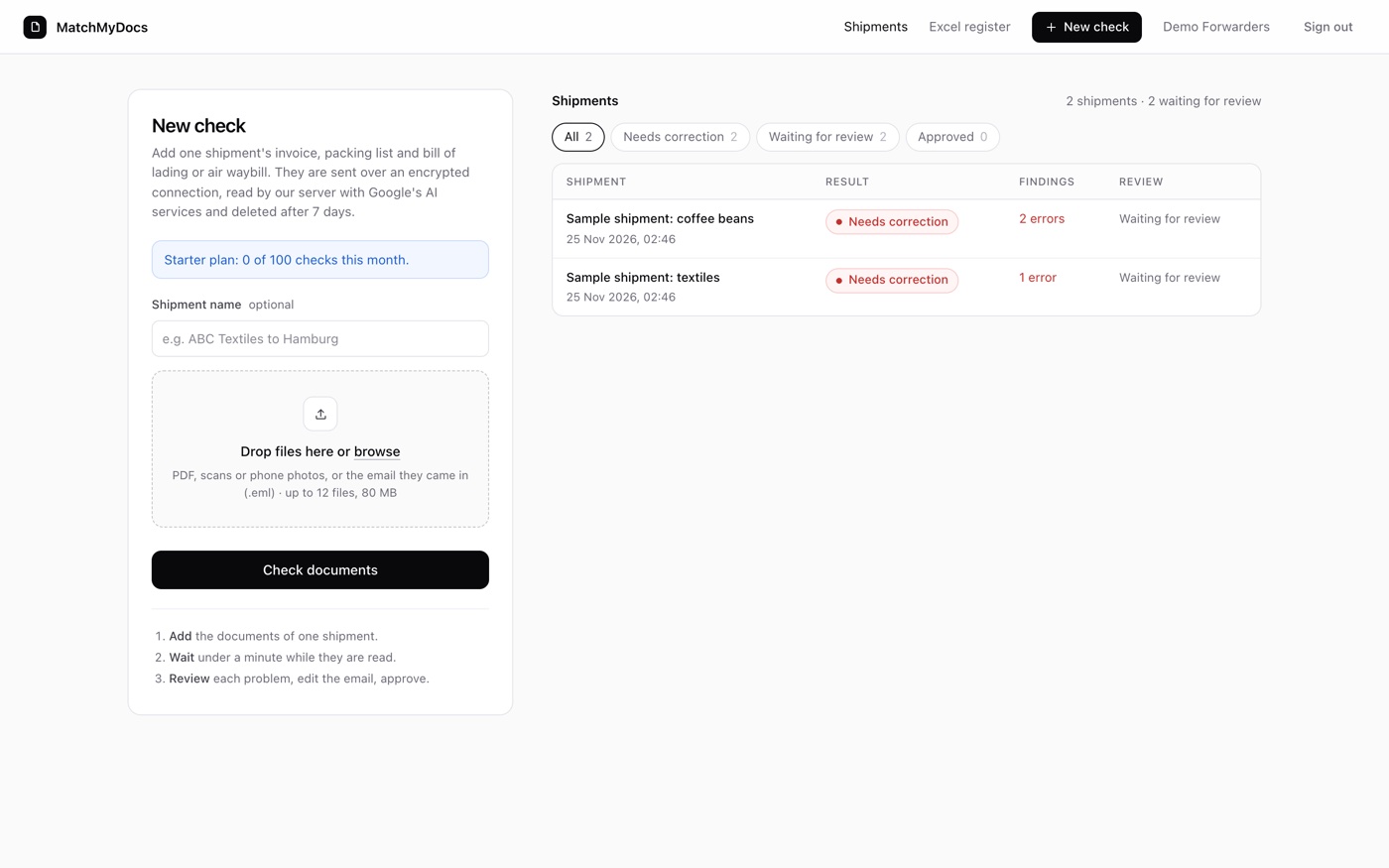
Add a shipment's invoice, packing list and bill of lading or air waybill. MatchMyDocs compares them field by field, shows each mismatch where it is printed and drafts the correction email. Your team decides every finding.
Amendment charges: ONE India local charges, November 2026. Other lines publish their own charges; customs queries and delays can follow a wrong document.
How it works
Drop one shipment's invoice, packing list and bill of lading or air waybill into the browser: PDFs, scans or phone photos. Nothing to install.
It reads each document, compares 17 fields across them, every line of goods, the invoice arithmetic and each container's check digit, and says which document needs correcting.
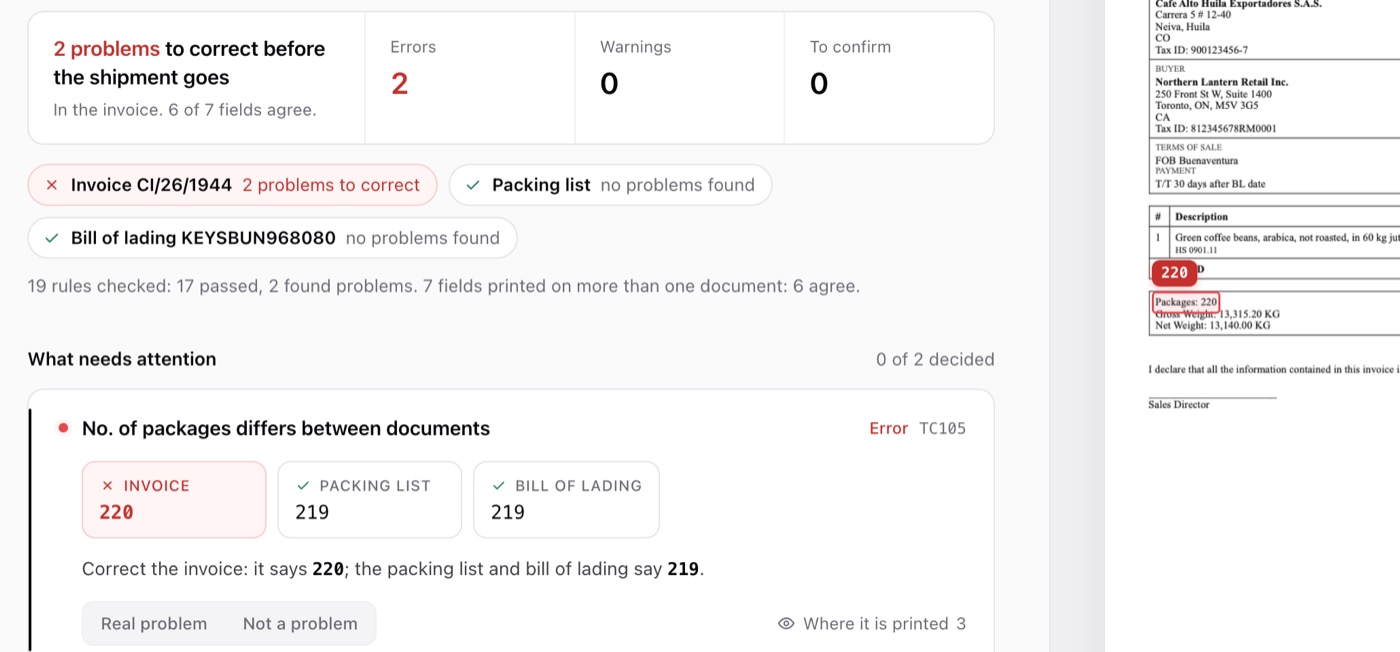
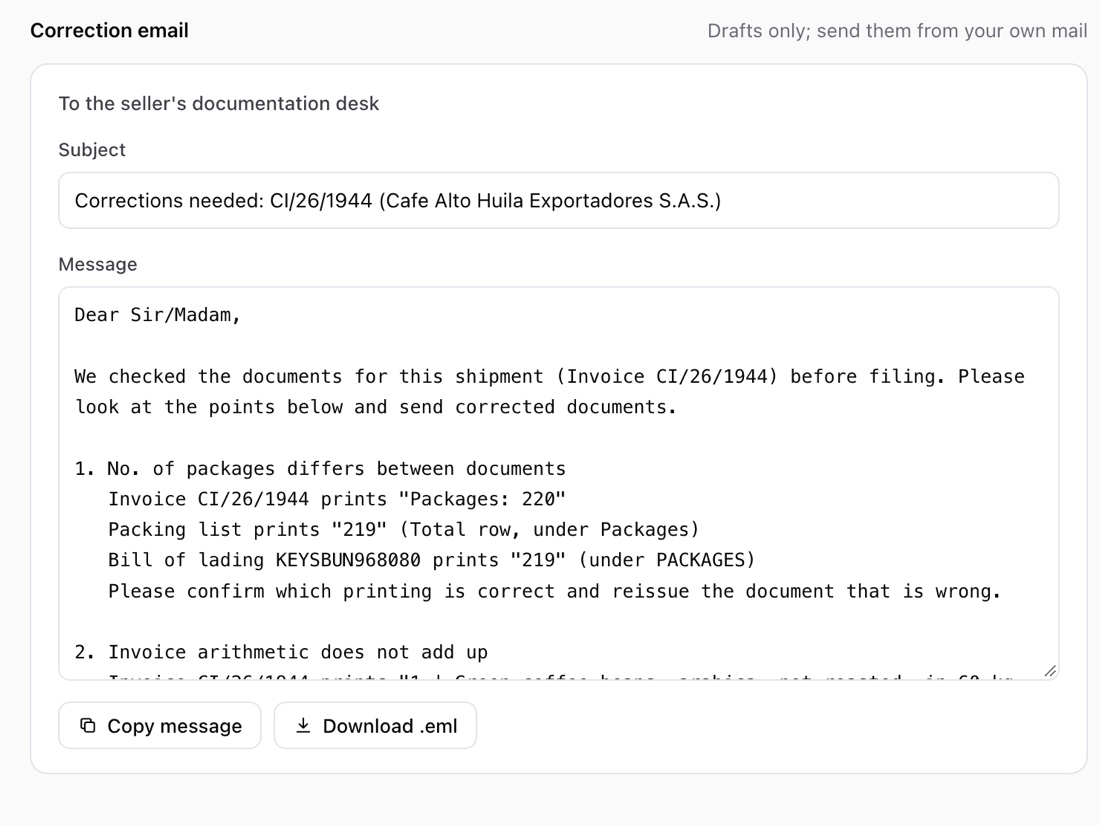
Open each finding to see where it is printed. Mark it a real problem or not, then copy the correction email it drafted, or download it with the Excel workbook.
Real findings
Each is what the checker reported, word for word, with the values from each document.
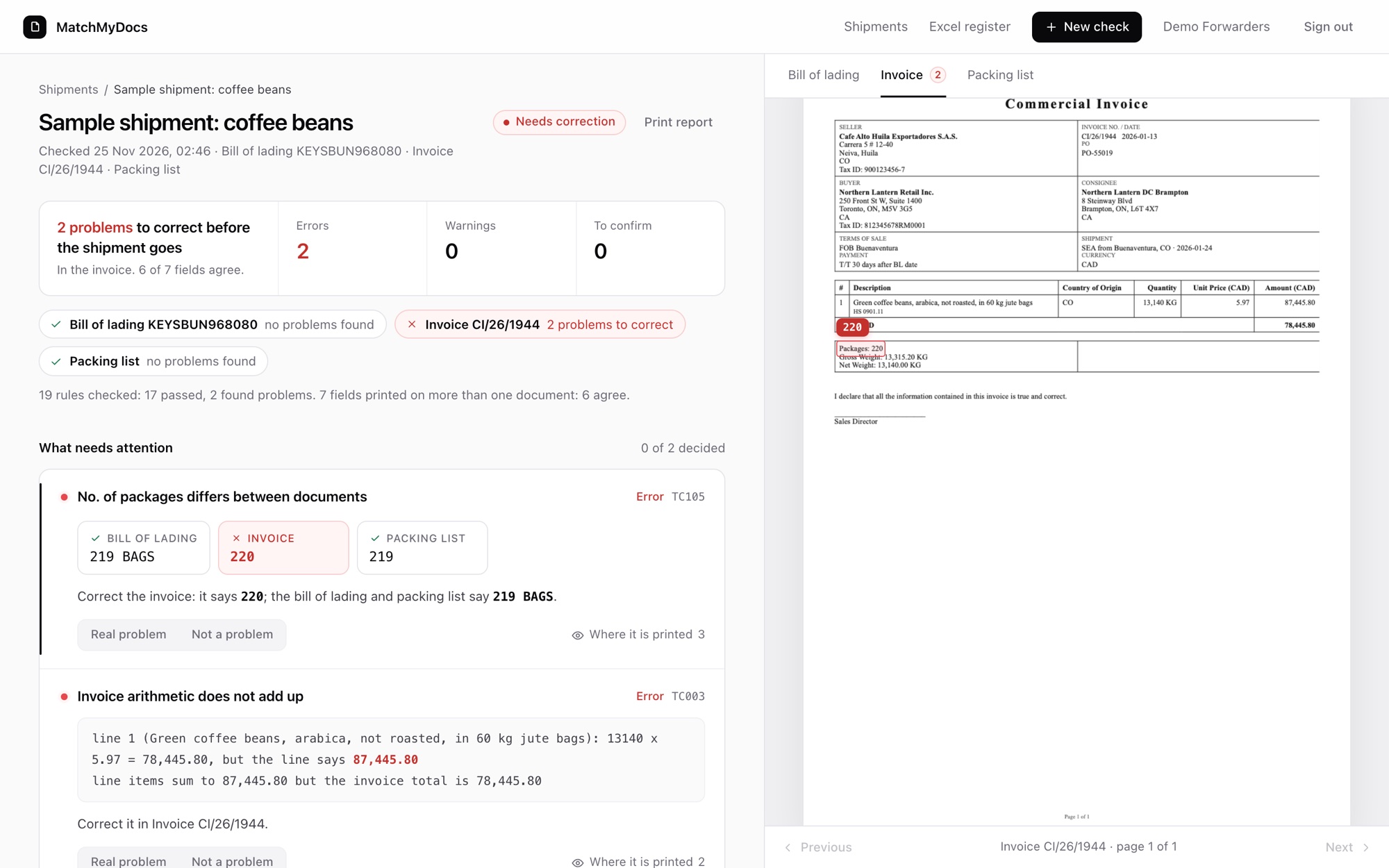
Finding: Correct the invoice: it says 220; the packing list and bill of lading say 219.
Finding: Line 1 of invoice CI/26/1944 is mistyped: 13,140 × 5.97 is 78,445.80, not 87,445.80.
Finding: Gross weight includes packing, so it cannot be below net weight.
Finding: The container number on bill of lading MRDNBRV1561230 fails its check digit: ask the line to confirm it.
Finding: The invoice should state the consignee, but it could not be found.
Open a whole sample shipment: findings, every field, the email
What it checks
For sea and air shipments. Each finding names the documents, the values and where they are printed.
The number of packages on the invoice, packing list and B/L or air waybill.
Gross and net weight across documents, net above gross, and the two swapped.
Quantity times unit price on every line, and the lines against the total.
Quantities on the invoice against the packing list, paired by item code, HS code or description.
Shipper, consignee and notify party, including misspellings and to-order B/Ls.
Ports of loading and discharge, the Incoterm, and freight terms that do not fit the Incoterm.
Invoice, B/L and air waybill numbers wherever they are printed.
Each container number's ISO 6346 check digit.
The check digit of the air waybill number.
The HS code and country of origin on the invoice against the B/L.
A required field that is not printed, such as the consignee or Incoterm on the invoice.
A B/L whose cargo box and container table print different totals.
How well it reads
On sample shipments with errors planted on purpose: synthetic documents from the open DocCheck project, read the way this website reads them (23 and 24 November 2026).
On a scan, a container number goes to a person to confirm rather than being reported as wrong: 6 of the 8 errors not found on scans were container numbers. Sample documents are not yours, which is why we offer to measure it on 20 of your own past shipments, free.
Savings calculator
Put in your own numbers. The sums are shown under the result.
Pricing
Prices are before 18% GST, invoiced monthly. Stop at the end of any month.
Freeto start
20 shipments checked free, with no payment details
₹2,999a month
Up to 100 shipments a month: about ₹30 a shipment. Then ₹25 for each extra one
₹7,999a month
Up to 400 shipments a month: about ₹20 a shipment. Then ₹25 for each extra one
Security and data
Our server and your documents are on Google Cloud in Mumbai (asia-south1).
Each shipment, with its documents, is deleted 7 days after the check, or at once when you delete it.
Each company sees only its own shipments. People sign in with their own password.
HTTPS only. Passwords are stored as scrypt hashes; sign-in pauses after 5 wrong tries.
Documents are read with Google's paid Gemini API and Cloud Vision, which do not use them to train their models.
It drafts the correction emails. You send them, from your own mailbox, when you are ready.
Questions
The commercial invoice, the packing list, and the bill of lading or air waybill of one shipment. Add them as PDFs, scans or phone photos, up to 12 files at a time.
Yes. Scans and photos are read with Google Cloud Vision and turned upright when they lie sideways. Clean PDFs are read more accurately than scans; the numbers below show both.
Every finding waits for your decision: mark it a real problem or not a problem. Nothing is sent or changed until a person approves the check.
Not yet. Today it checks the invoice, packing list and bill of lading or air waybill against each other.
Each shipment, with its documents and results, is deleted 7 days after the check, or sooner if we agree a shorter period with you (1 to 90 days). You can also delete any shipment at once.
Only the people of your company. Each company's shipments are kept apart on the server, and another company's shipments answer "not found".
No. It drafts the correction email to the party that must reissue a document. You copy it or download it and send it from your own mailbox.
No. It works beside whatever software you use: you add the documents in the browser and get the findings, an Excel workbook and the correction emails.
Write to us on WhatsApp or email. We set up your company's account, you add 20 of your past shipments, and you see what it finds. No payment details are needed.
Monthly, by invoice. Prices are before 18% GST. You can stop at the end of any month.
Write to us. We set up your company's account, you add 20 past shipments, and you see what it finds. No payment details.
Already have an account? Sign in